
index.md 3.9 KB
title: "Installation"
sidebar_position: 1
import Tabs from '@theme/Tabs'; import TabItem from '@theme/TabItem';
Requirements
- Node.js v16 or above, with support for even-numbered Node.js versions.
- The supported TypeScript version is set upon installation. Upgrading to a newer version of TypeScript might result in compilation errors.
- If you want to use MySQL, MariaDB, or Postgres as your data store, then you'll need an instance available locally. However, if you are just testing out Vendure, we recommend using SQLite, which has no external requirements.
@vendure/create
The recommended way to get started with Vendure is by using the @vendure/create tool. This is a command-line tool which will scaffold and configure your new Vendure project and install all dependencies.
1. Run the command
npx @vendure/create my-shop
2. Select a database
Vendure supports a number of different databases. The @vendure/create tool will prompt you to select one.
To quickly test out Vendure, we recommend using SQLite, which requires no external dependencies. You can always switch to a different database later by changing your configuration file.
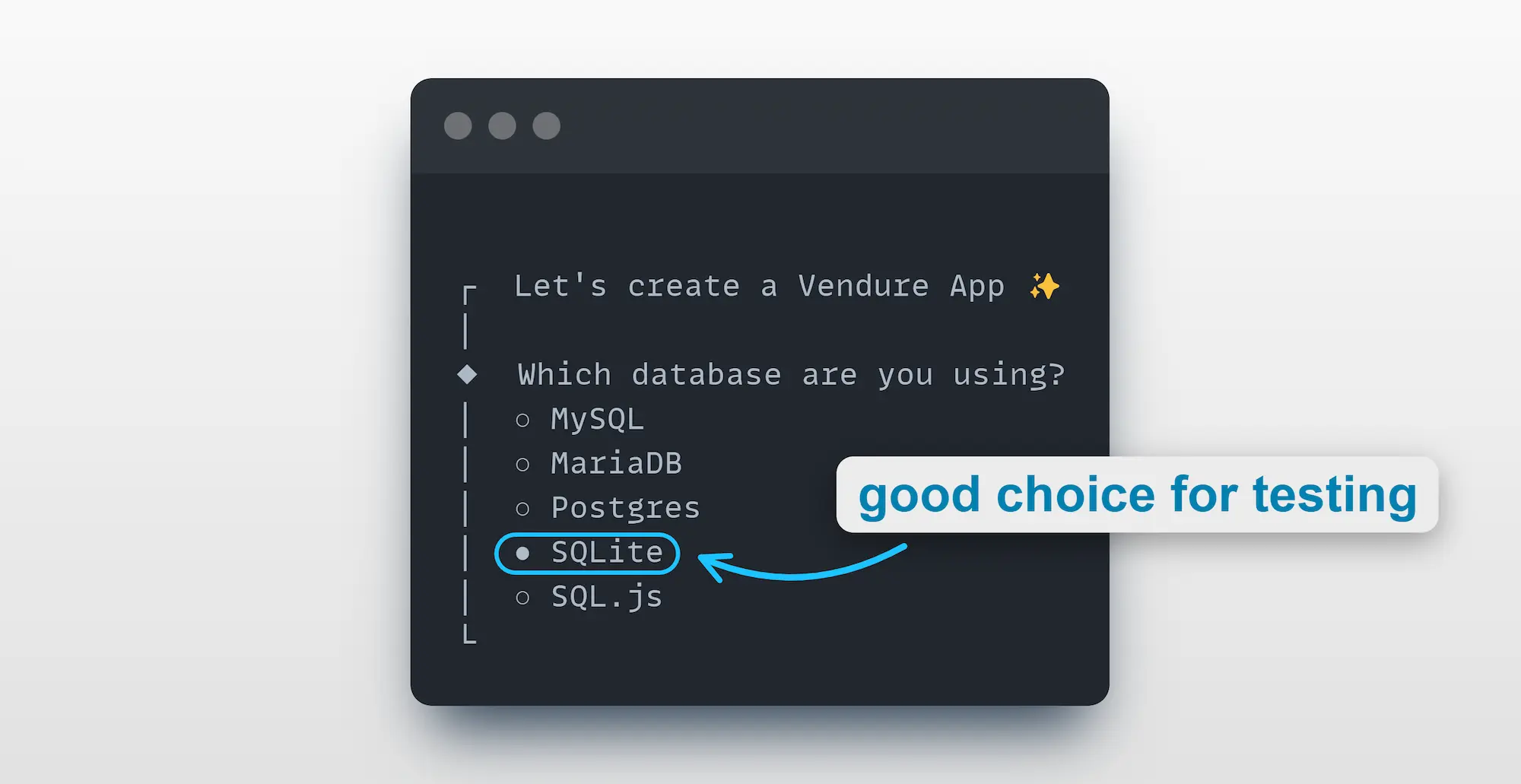
:::tip If you select MySQL, MariaDB or Postgres, you need to make sure you:
- have the database server running and accessible
- have created a database for Vendure to use
- know the username and password for a user with access to that database :::
3. Populate with data
The final prompt will ask whether to populate your new Vendure server with some sample product data.
We recommend you do so, as it will give you a good starting point for exploring the APIs which we will cover in the Try the API section, as well as providing some data to use when building your own storefront.

4. Complete setup
Next, a project scaffold will be created and dependencies installed. This may take a few minutes.
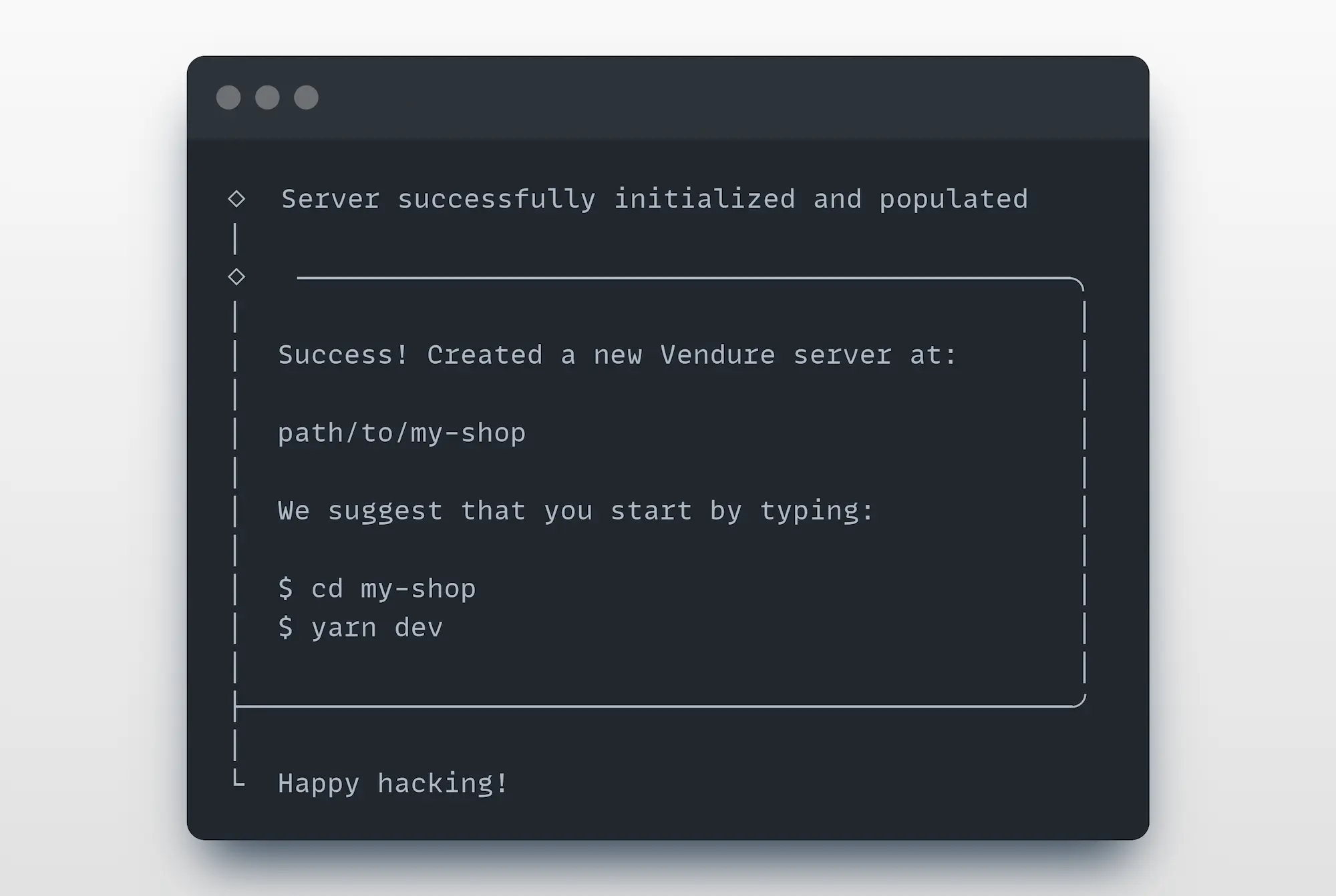
Once complete, you'll see a message like this:
5. Start the server
Follow the instructions to move into the new directory created for your project, and start the server:
cd my-shop

yarn dev
# or
npm run dev
You should now be able to access:
- The Vendure Admin GraphQL API: http://localhost:3000/admin-api
- The Vendure Shop GraphQL API: http://localhost:3000/shop-api
- The Vendure Admin UI: http://localhost:3000/admin
Congratulations! 🥳 You now have a fully-functional Vendure server running locally.
Now you can explore Vendure by following our Try the API guide to learn how to interact with the server.
If you are new to GraphQL, you should also check out our Introducing GraphQL guide.
:::tip Open the Admin UI at http://localhost:3000/admin in your browser and log in with the superadmin credentials you specified, which default to:
- username: superadmin
- password: superadmin :::
Troubleshooting
If you encounter any issues during installation, you can get a more detailed output by setting the log level to verbose:
npx @vendure/create my-shop --log-level verbose
Set up a storefront
Once you have a Vendure server running, you can set up a storefront to interact with it!
We have a number of storefront starter kits available for you to use - head over to the Storefront Starters page to learn more.
