
index.md 1.9 KB
title: "CLI"
import Tabs from '@theme/Tabs'; import TabItem from '@theme/TabItem';
The Vendure CLI is a command-line tool for boosting your productivity as a developer by automating common tasks such as creating new plugins, entities, API extensions and more.
It is much more than just a scaffolding tool - it is able to analyze your project and intelligently modify your existing codebase to integrate new functionality.
Installation
:::info The Vendure CLI comes installed with a new Vendure project by default from v2.2.0+ :::
To manually install the CLI, run:
npm install -D @vendure/cli
yarn add -D @vendure/cli
The Add Command
The add command is used to add new entities, resolvers, services, plugins, and more to your Vendure project.
From your project's root directory, run:
npx vendure add
yarn vendure add
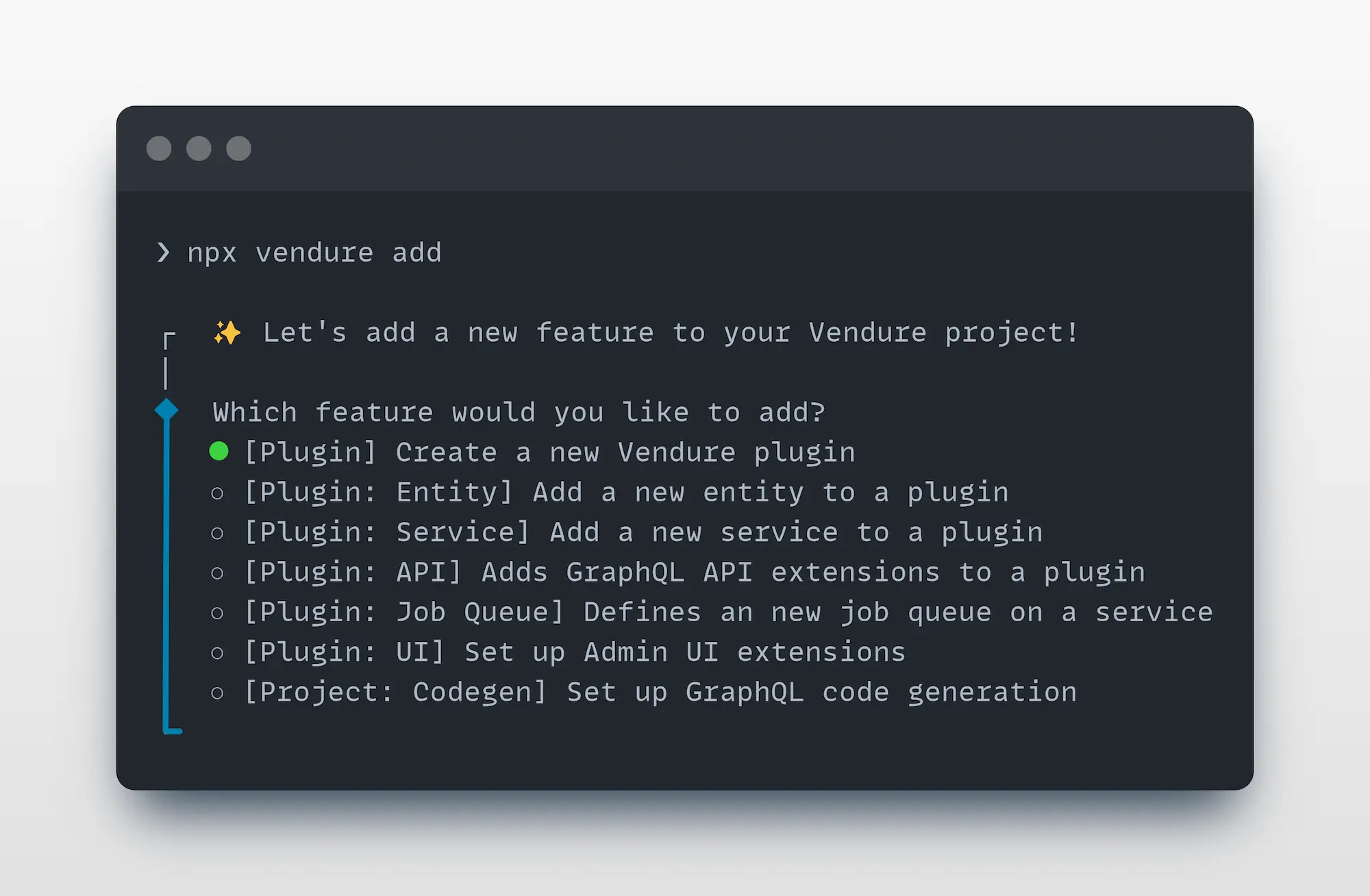
The CLI will guide you through the process of adding new functionality to your project.
The add command is much more than a simple file generator. It is able to
analyze your project source code to deeply understand and correctly update your project files.
The Migrate Command
The migrate command is used to generate and manage database migrations for your Vendure project.
From your project's root directory, run:
npx vendure migrate
yarn vendure migrate
